Meet UltimateSweepers Sidekick
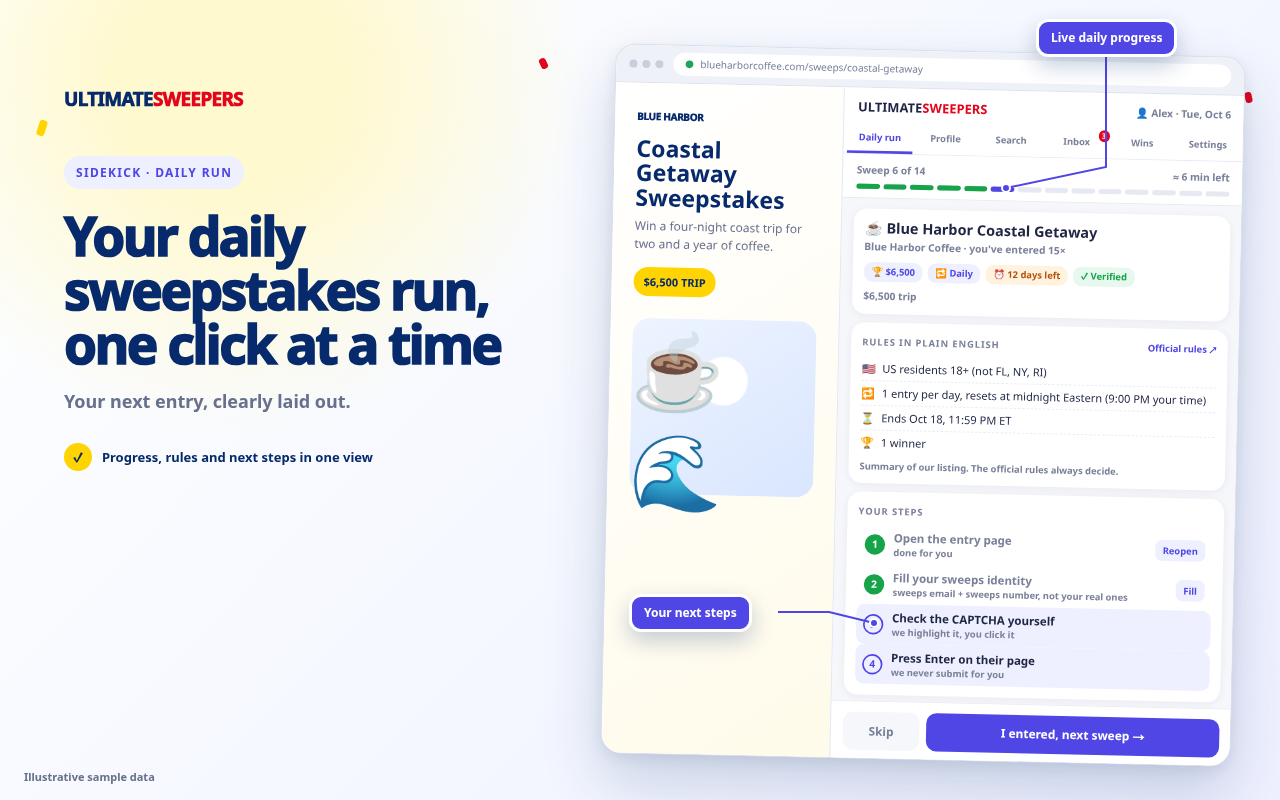
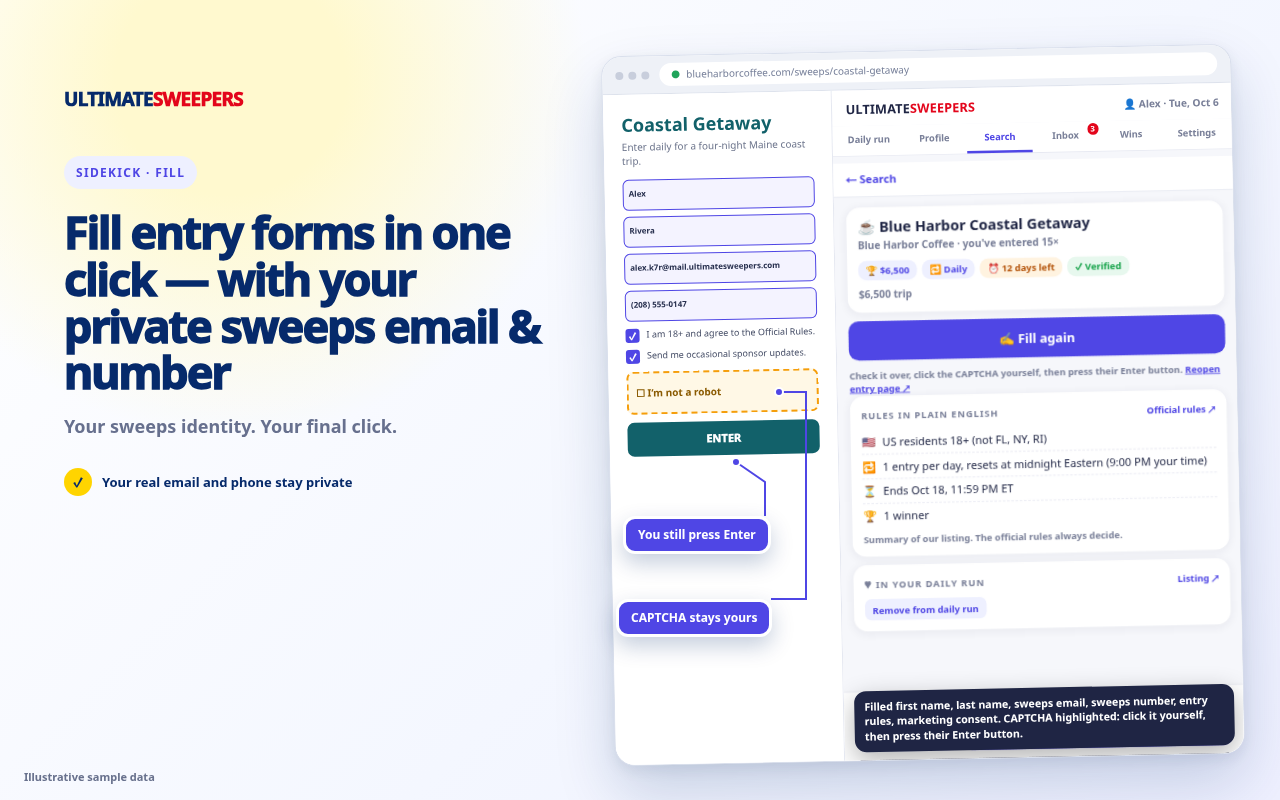
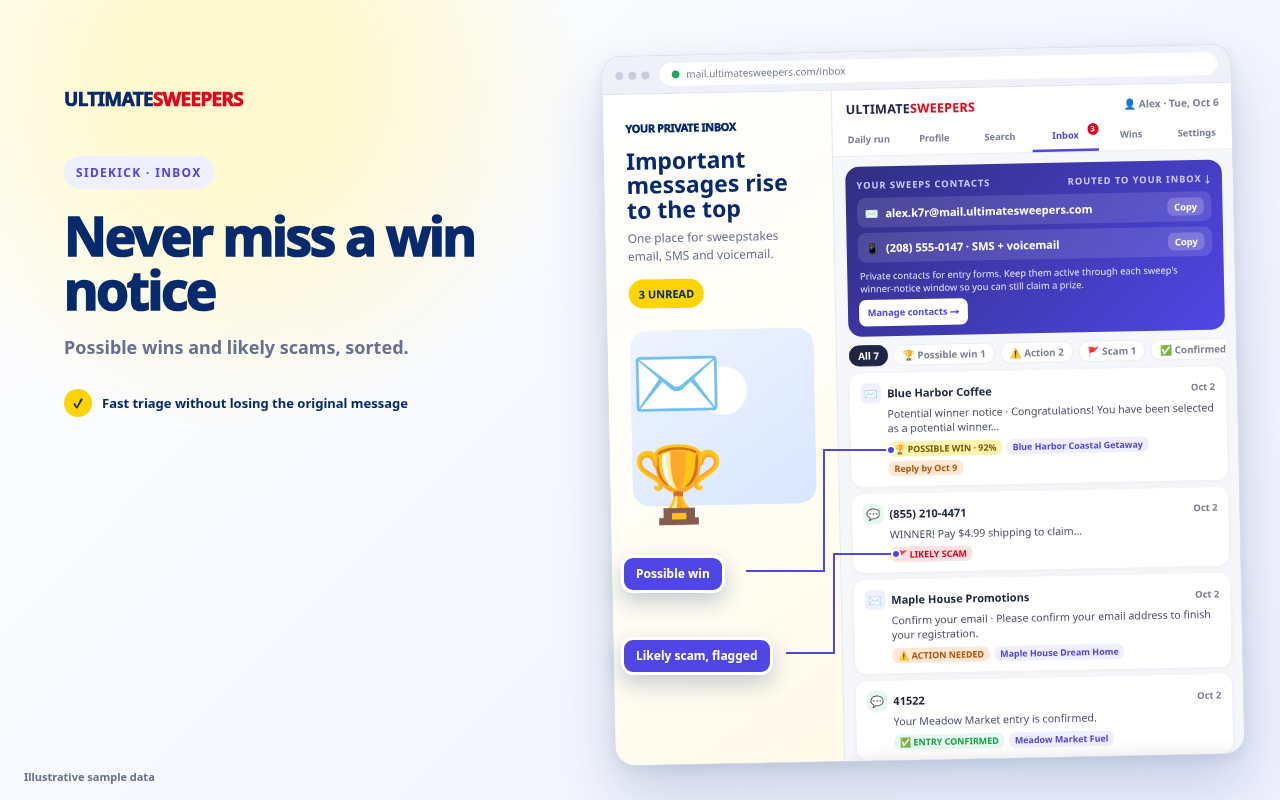
Your daily sweepstakes run in a Chrome side panel. Sidekick walks you through your saved sweepstakes one at a time and fills your private sweeps email, number and saved details when you click Fill.
You stay in control: check the CAPTCHA and press the sponsor's Enter button yourself. Sidekick never submits forms or solves CAPTCHAs.
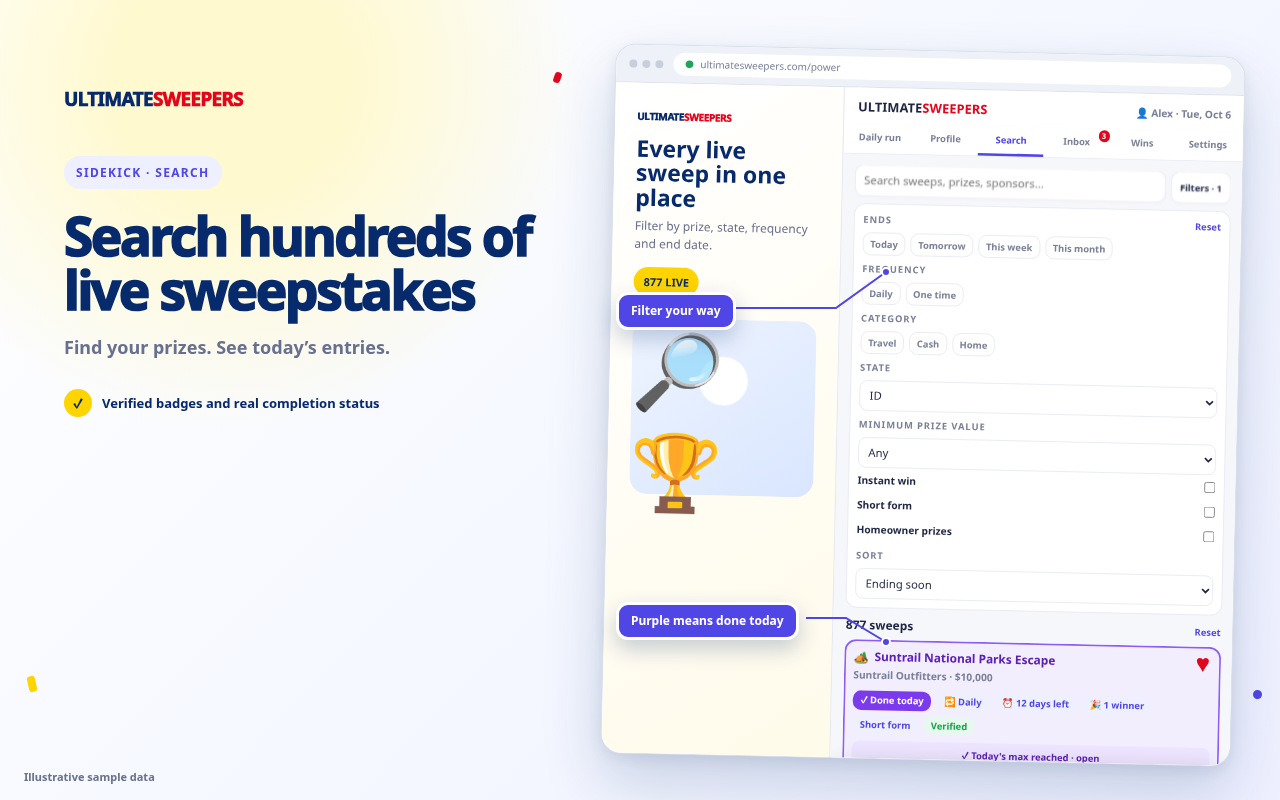
Open each saved free sweepstakes and see the listing's rules in plain English.
Place your saved sweeps details into the sponsor form when you choose Fill.
Review the form, handle the CAPTCHA and submit it yourself.
See Sidekick in action
Sidekick FAQ
Is Sidekick free?
Yes. It needs a free UltimateSweepers account.
What data does it use?
It connects to your UltimateSweepers account and uses the saved details needed for the features you choose. Read the full Sidekick privacy details.
Does it enter sweepstakes for me?
No. Sidekick can fill recognized fields when you click Fill, but you review the form, complete any CAPTCHA and press Enter yourself.
Where can I get help?
Visit Support to read common answers or send us a message.